Share links
Your Vault as an encrypted 3D page that opens in any browser.
How share links workSee your coin collection in 3D: every coin, bar and round you add drops into your 3D Vault, sized from its weight, metal and purity, with your own photo on its face. Shake it, stack it, and tap any piece to inspect it.
Pick it from 442 bullion coins and bars, or enter your own weight and purity. The first time you open MintMetric, a demo Vault of 10 gold coins and 15 silver rounds shows you around.
Attach a picture and it becomes the face of the coin, framed for you when MintMetric can find the piece.
The piece lands in your Vault, sized from its weight, metal and purity. Shake, stack or tap it.
Turn on Show Photos and you see your actual coins in the Vault, not a generic picture. Crop, rotate and frame any photo, or turn it into a sketch. You can still frame by hand when automatic framing can't find the piece. Free includes 1 photo per holding, shown on both faces. Pro adds front, back and extra photos, with no app count limit, limited by your device's storage. Photos are encrypted on your device.
Sized from its weight, metal and purity, with true-to-type coin and bar proportions, scaled to fit the room. The sizing demo shows a gold coin and a silver round of the same weight.
Coins show their own reeded, smooth or slanted edge in the Vault.
Tap a piece to inspect it. Shake to tumble. Double-tap empty space to stack.
The Vault shows a representative sample of up to 200 pieces; totals always include every piece.
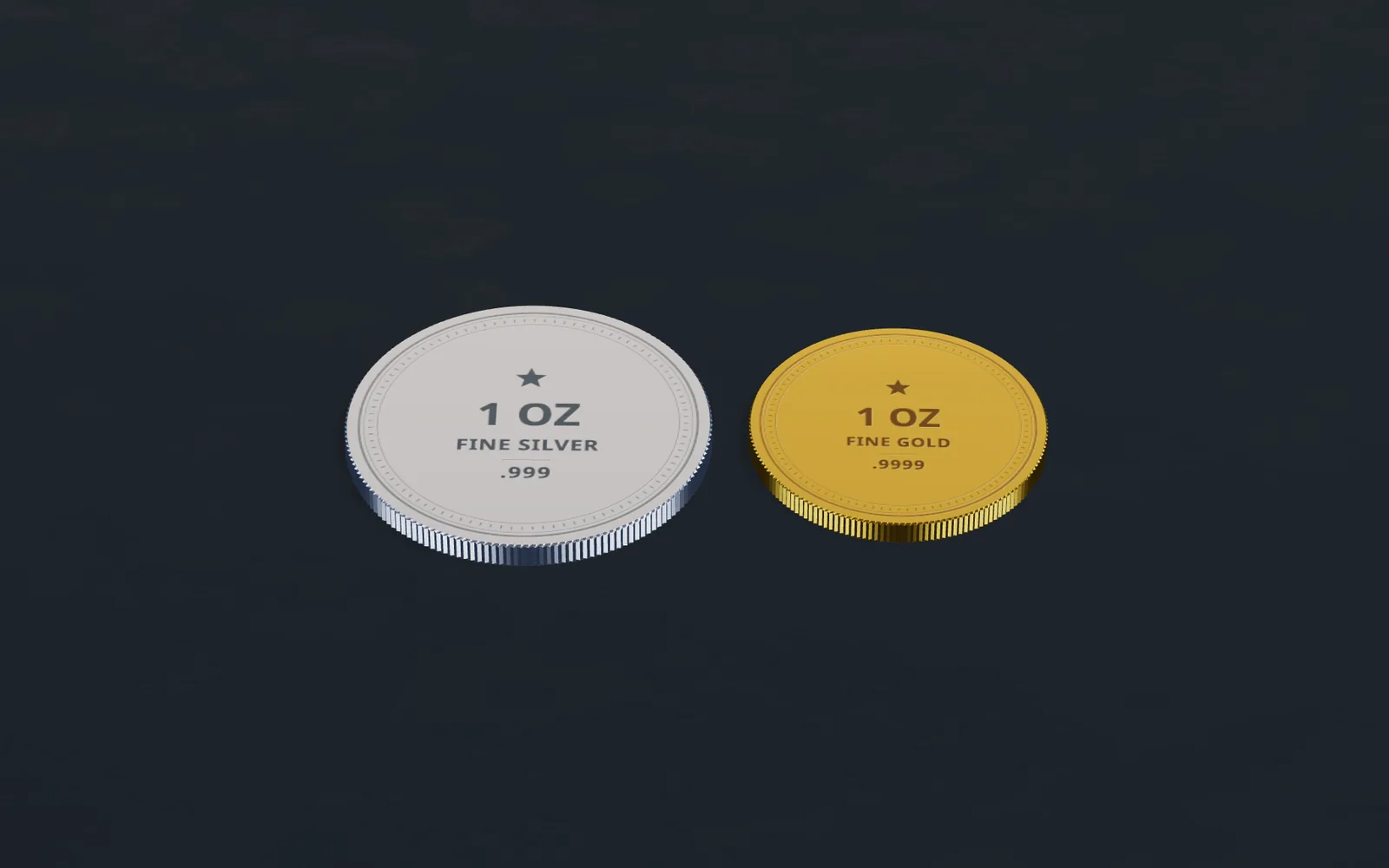
MintMetric works out each piece's volume from its weight and the density of its metal (gold 19.3, silver 10.5, platinum 21.45, palladium 12.0 and copper 8.96 g/cm³), so a 10 oz bar sits clearly larger than a 1 oz coin. Sizes are compressed to fit the room, so small pieces stay easy to tap and big bars never swamp it.
Each coin's edge uses the catalogue's reed count where it is known, or the edge you pick for that holding. Prefer a plain look? Turn off Reeded Edges and every edge is drawn smooth.
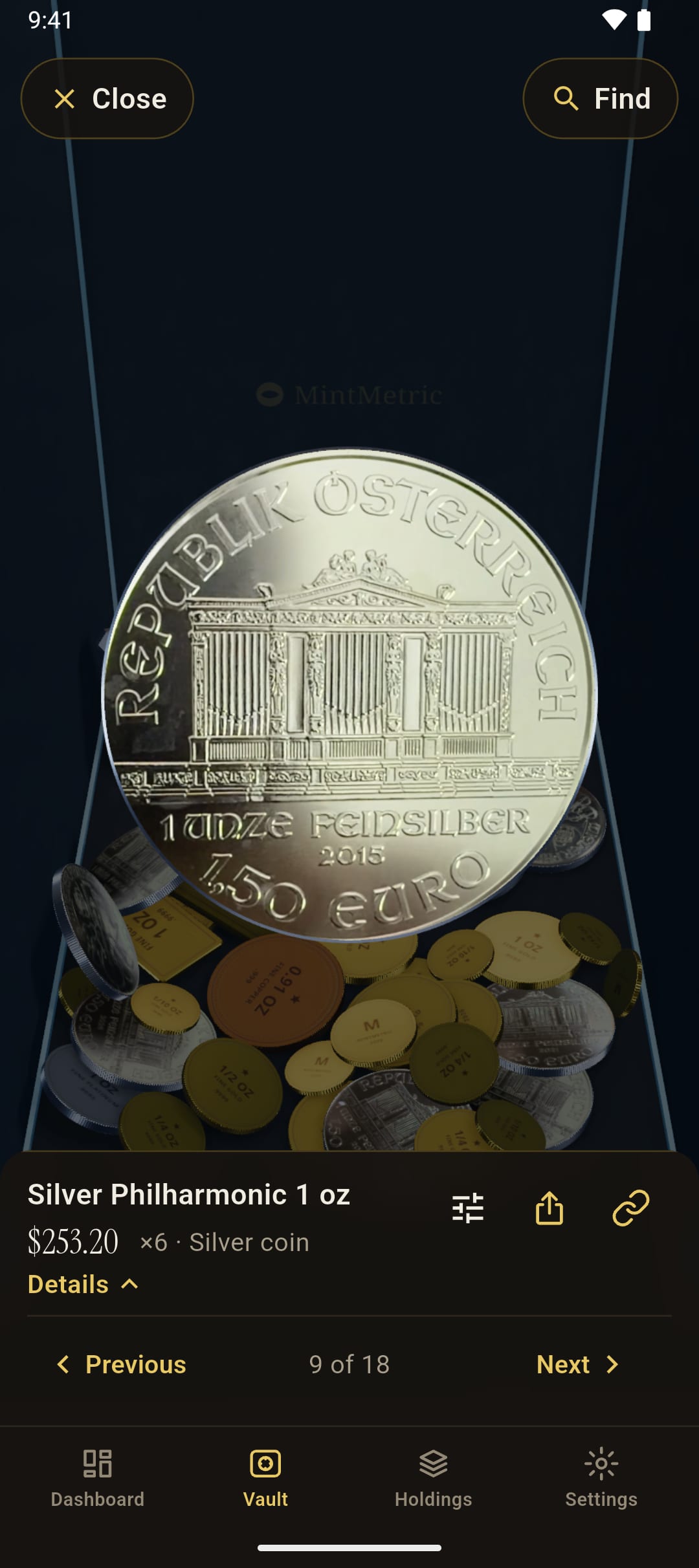
Tap a piece to inspect it.
Add artistic relief to a coin photo and turn it in 3D. The relief is made from your photo, not measured depth. It works on coins and rounds with a front photo, stays on your device and is kept in your full encrypted backup.
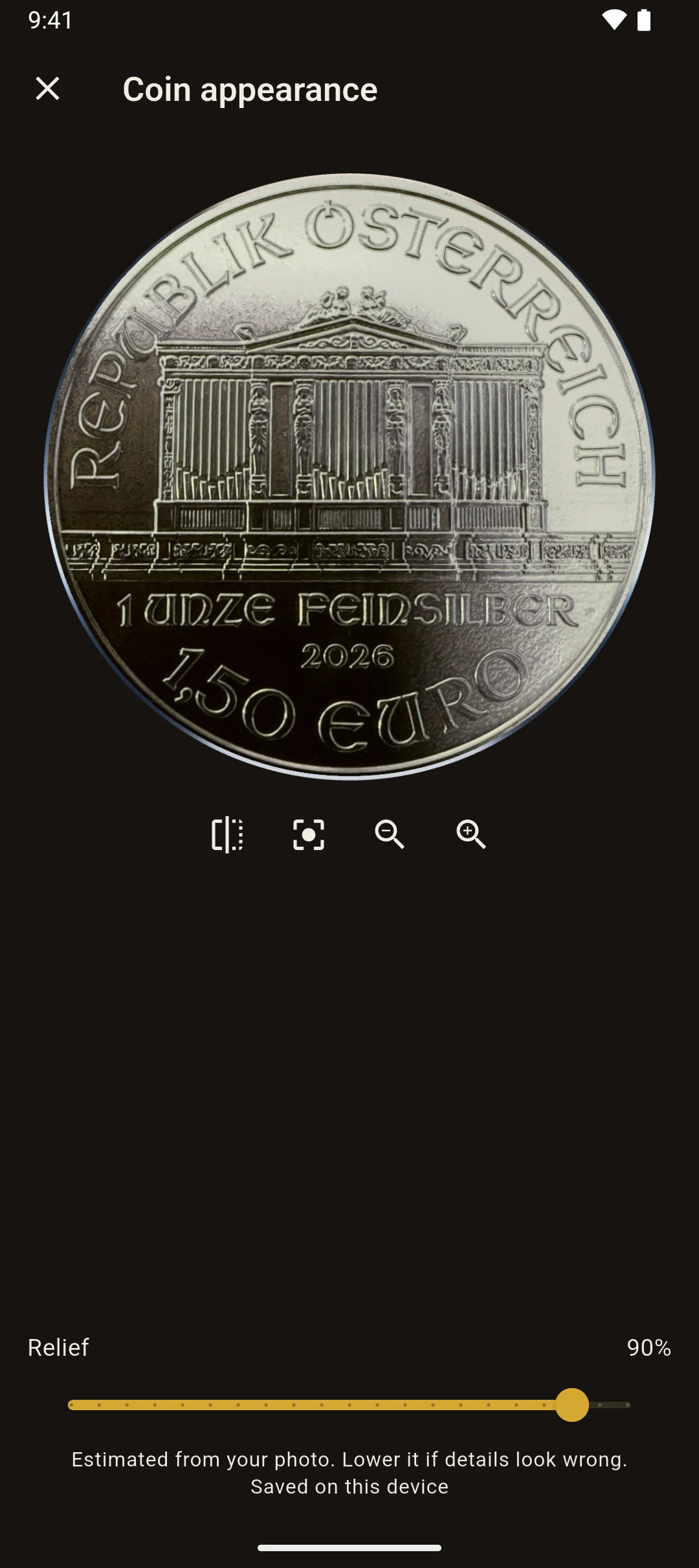
Relief, made from your photo.
Keep collections apart in named vaults, each with its own name, icon, colour and wall colour: choose from 31 icons, 8 colours and 8 wall presets, or a custom wall colour. Move pieces between vaults, filter Holdings by vault, and see everything together on All Vaults. Free keeps the Main vault. If Pro ends, your named vaults and their assignments are kept. Until Pro is active again, every piece shows in the Main vault.
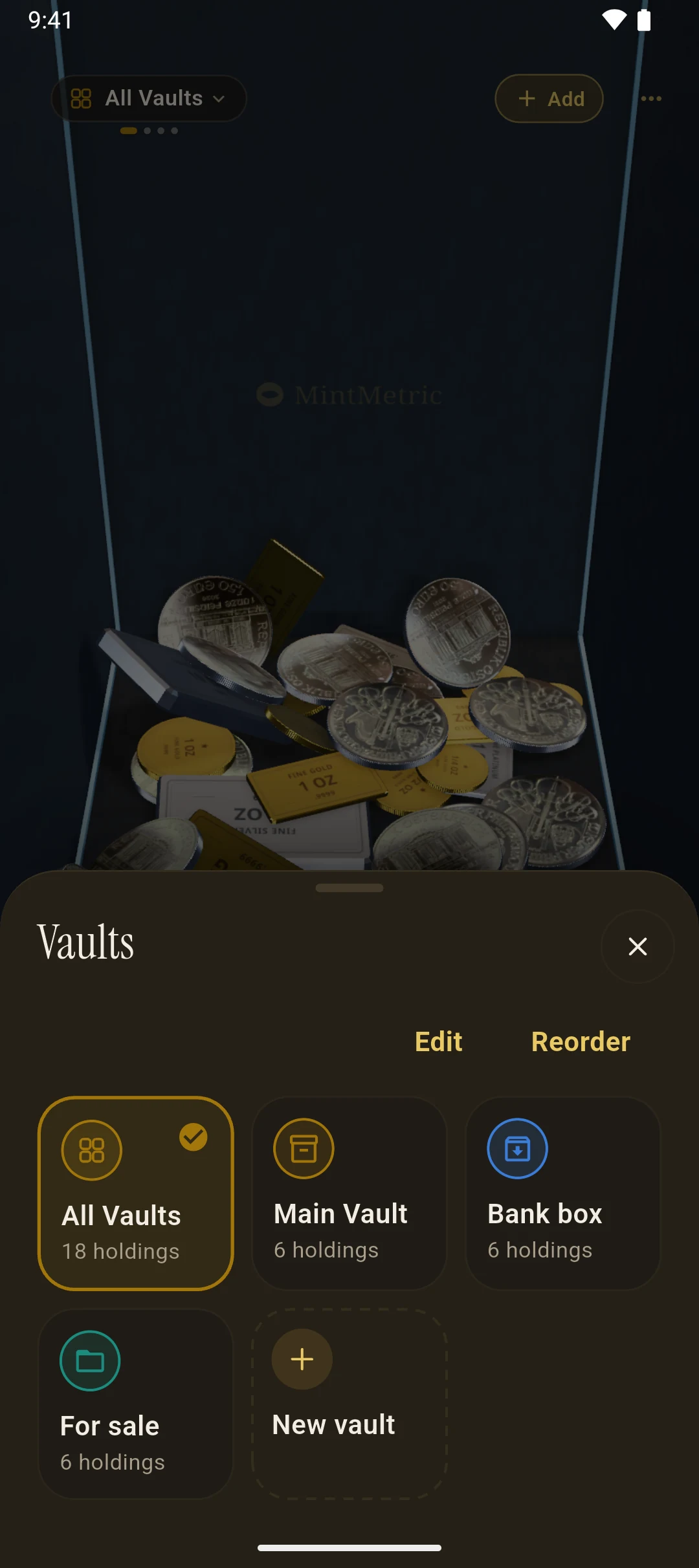
All Vaults, Main, Bank box and For sale.
Hide Values hides every amount with one switch, and covers the Vault too. With App Lock on, MintMetric asks for your PIN, Face ID, Touch ID or fingerprint before the Vault opens.
Share a picture of your Vault from the Vault menu. Or send it as an encrypted 3D web page that opens in any browser, no app needed. Put a picture of your own Vault on your Home Screen with the Your Vault widget.
Free: the full 3D Vault, 1 photo per holding.
Pro: front, back and extra photos, with no app count limit, limited by your device's storage, and named vaults.
Each piece is sized from its weight, metal and purity, with true-to-type coin and bar proportions, scaled to fit the room. MintMetric uses each metal's density (gold 19.3, silver 10.5, platinum 21.45, palladium 12.0 and copper 8.96 g/cm³), so a gold coin is smaller than a silver coin of the same weight. Sizes are compressed so small pieces stay easy to tap and big bars don't swamp the room.
More: The 3D Vault
Yes. With Show Photos on, the photo you attach appears on the face of that piece in the Vault. Coins also show their own reeded, smooth or slanted edge. You can add relief to a coin photo and turn it in 3D; it's an artistic effect, not measured depth.
More: The 3D Vault
The Vault shows up to 200 pieces; larger collections show a representative sample, and your totals always include every piece.
More: The 3D Vault
Yes. Pro adds named vaults, each with its own name, icon, colour and wall colour. Free keeps the Main vault. Move pieces between vaults, filter Holdings by vault, or see everything together on All Vaults.
More: The 3D Vault
Free has no time limit. No account needed to start.


Available in selected countries.
iPhone and iPad (iOS 15 or later) · Android 7.0 or later